Make complex browser video playback simple with mature, stable built for rich features and strong performance.
h265web.js is built for real browser video delivery: HEVC/H.265, AVC/H.264, AV1, WebRTC, live and VOD, VR360 viewing, ZLMediaKit / PyMKUI integration, WebCodec, WASM decode, MediaInfo, snapshots, fullscreen and multi-instance playback.

h265web.js PRO
Built and refined continuously since 2017, h265web.js PRO delivers mature browser playback with broad feature coverage and strong performance.

Describe your player. Let a skill help build it.
Ready-to-use integration and troubleshooting skills, including stable volume and experimental SDR super resolution. Start here even if you have not read the docs.
- Get both skills
Download the SDK repository. Keep both complete folders under skills/, including templates and references.
Get the skills on GitHub - Install in your assistant
Codex: ask $skill-installer to install the two GitHub skill directories, or copy them into your project’s .agents/skills/. Other assistants use their own skill import.
Step-by-step installation and examples - Choose and describe your task
Use h265web-bootstrap for new players and app integration. Use h265web-troubleshoot for black pictures, missing audio, loading errors or inactive SR. Provide your framework, media and SDK location.
Use $h265web-bootstrap to integrate h265web.js into my React project.
Add play/pause, stable-volume and experimental SDR super-resolution switches.
SR should start one available step up, with Automatic as an option.
Read my project’s SDK/media configuration, handle cleanup and verify actual playback.
Replace React with your framework. Select the installed skill in your assistant, or invoke it by name; this prompt goes into a conversation, not a terminal.
Use h265web.js PRO when native browser playback stops being enough.
The point of this homepage is not to compare marketing slogans. It is to show where browser-native playback stops, where the old open-source branch stops, and where the current free PRO branch keeps going.
Feature Matrix
Show the current h265web.js PRO capability set in one focused matrix.
- VR360 (ERP) Yes
- PyMKUI Yes
- H.265 SIMD Yes
- H.265 Yes
- H.264 Yes
- AV1 Yes
- WebCodec Yes
- Wasm+SIMD Yes
- Wasm Yes
- MSE Yes
- SuperGpuCache Yes
- SuperCpuCache Yes
- PlayBack H265 Yes
- PlayBack H264 Yes
- PlayBack AV1 Yes
- FLV Yes
- MP4 Yes
- RawData H265 Yes
- HTTP-FLV Yes
- HTTP-TS Yes
- Websocket FLV Yes
- Websocket TS Yes
- Websocket H265 Yes
- MPEG-TS Yes
- M3U8 Yes
- HLS Yes
- MKV Yes
- G711A alaw Yes
- G711U ulaw Yes
- AAC Yes
- MP3 Yes
- Capture Frame Yes
- Auto Play Yes
- Next Frame Yes
- MediaInfo(Probe) Yes
- WebRTC Yes
- Stable volume (optional) Conditional · off by default
- SDR super resolution (experimental) Conditional · off by default
Stable volume, experimental super resolution and integration skills.
Independent switches during playback, actual processing states and clear reload actions. Both effects default to off.
- Stable volume Switch during playback to reduce loudness differences. User volume and mute stay independent; the panel shows actual processing.
- Experimental SDR super resolution Start one available step up, then choose Automatic or an offered size. Actual output and source/device availability appear beside the switch.
- Integration & troubleshooting skills Integration templates for vanilla JS, React, Vue, Svelte, Angular, Next and Nuxt, with lifecycle, enhancement controls and evidence-based troubleshooting.
Built by @Numberwolf, used across product, streaming and video teams.
These logos are not there to decorate the page. They are there to show this SDK has already been pushed through real browser playback scenarios.












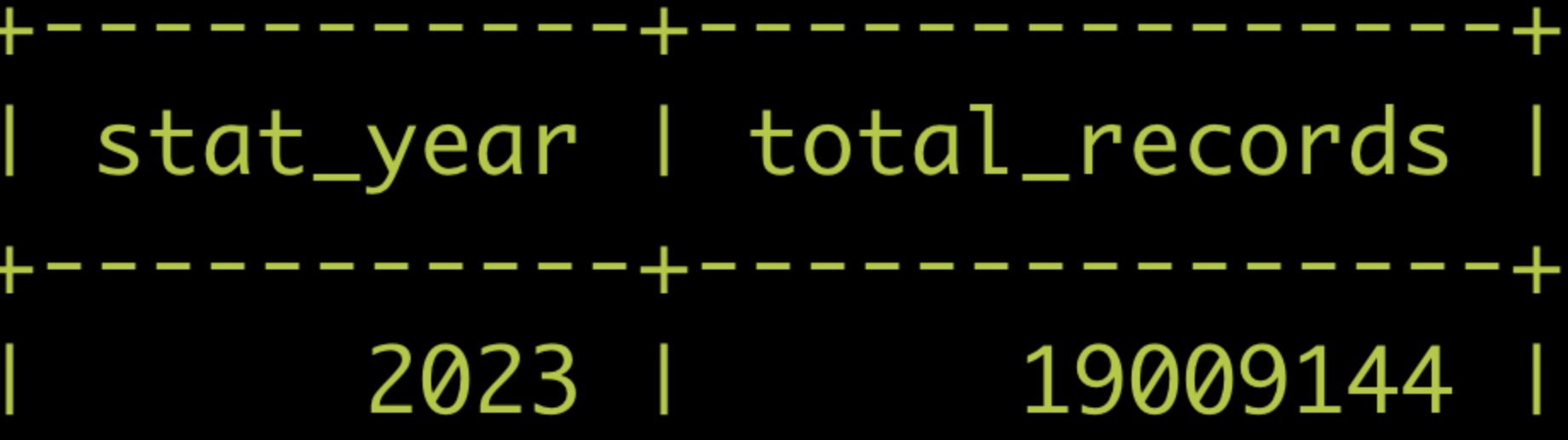
Used more than 19,009,144 times in a year.
The number matters because this project is not just a demo player. It is already serving repeated playback demand in production-style environments.
Talk directly to the maintainer behind h265web.js.
Whether you are evaluating browser playback, integrating the SDK, or comparing live and VOD paths, these are the fastest ways to reach the project and the maintainer.